
 字典数据
字典数据
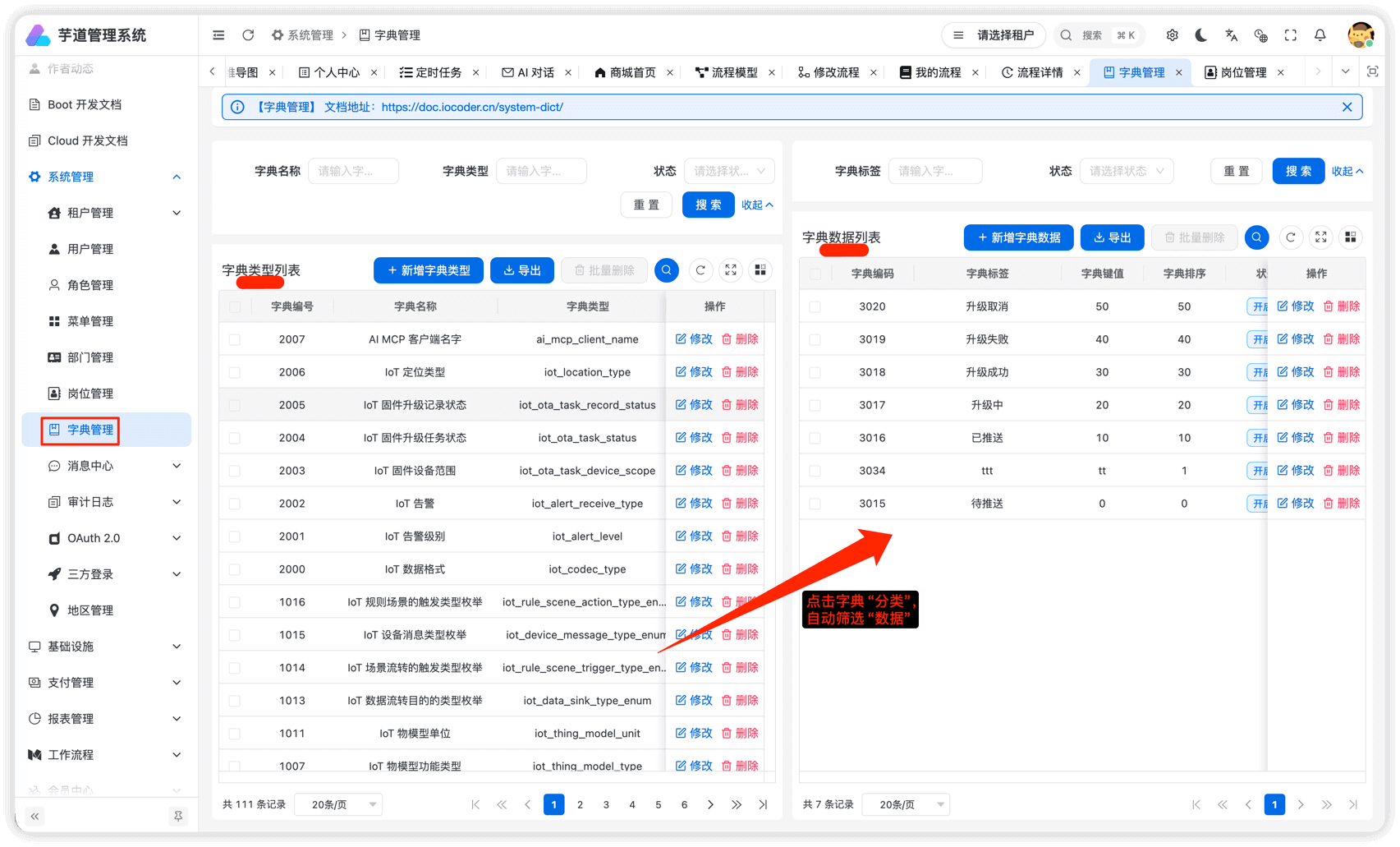
本小节,讲解前端如何使用 [系统管理 -> 字典管理] 菜单的字典数据,例如说字典数据的下拉框、单选按钮、高亮展示等等。
# 1. 全局缓存
用户登录成功后,前端会从后端获取到全量的字典数据,缓存在 Pinia Store 中,可见 src/store/dict.ts (opens new window) 源码。
这样,前端在使用到字典数据时,无需重复请求后端,提升用户体验。
不过,缓存暂时未提供刷新,所以在字典数据发生变化时,需要用户刷新浏览器,进行重新加载。
# 2. DICT_TYPE
在 dict.ts (opens new window) 文件中,使用 DICT_TYPE 枚举了字典的 KEY。
export enum DICT_TYPE {
  // ========== 系统模块 ==========
  SYSTEM_USER_SEX = 'system_user_sex',
  COMMON_STATUS = 'common_status',
  // ... 其他字典类型
}
后续如果有新的字典 KEY,需要你自己进行添加。
# 3. DictTag 字典标签
src/components/dict-tag/dict-tag.vue (opens new window)
提供 <DictTag /> 组件,翻译字段对应的字典展示文本,并根据 colorType、cssClass 进行高亮。
# 3.1 基础用法
<template>
  <!--
    type: 字典类型
    value: 字典值
  -->
  <DictTag :type="DICT_TYPE.COMMON_STATUS" :value="item.status" />
</template>

<script setup lang="ts">
import { DICT_TYPE } from '@/utils/dict'
</script>
# 3.2 组件属性
| 属性 | 说明 | 类型 | 默认值 |
|---|---|---|---|
| type | 字典类型 | string | - |
| value | 字典值 | any | - |
| plain | 是否镂空 | boolean | true |
# 4. 字典工具类
在 useDict.ts (opens new window) 文件中,提供了字典工具类。
# 4.1 getDictLabel
获取字典标签文本。
import { getDictLabel } from '@/hooks/useDict'
import { DICT_TYPE } from '@/utils/dict'

// 获取状态标签,如 "开启"、"关闭"
const label = getDictLabel(DICT_TYPE.COMMON_STATUS, 0)
# 4.2 getDictObj
获取字典对象,包含 label、value、colorType、cssClass。
import { getDictObj } from '@/hooks/useDict'
import { DICT_TYPE } from '@/utils/dict'

const dictObj = getDictObj(DICT_TYPE.COMMON_STATUS, 0)
// { label: '开启', value: '0', colorType: 'success', cssClass: '' }
# 4.3 getDictOptions
① 获取字典数组,用于 picker、radio 等组件。
import { getDictOptions } from '@/hooks/useDict'
import { DICT_TYPE } from '@/utils/dict'

// 获取字典选项,默认 string 类型
const options = getDictOptions(DICT_TYPE.COMMON_STATUS)
// [{ label: '开启', value: '0', colorType: 'success' }, { label: '关闭', value: '1', colorType: 'danger' }]

// 获取 number 类型的字典选项
const numberOptions = getDictOptions(DICT_TYPE.COMMON_STATUS, 'number')
// [{ label: '开启', value: 0, colorType: 'success' }, { label: '关闭', value: 1, colorType: 'danger' }]
② 也可以使用快捷方法,获取不同类型的字典选项。
import { getIntDictOptions, getStrDictOptions, getBoolDictOptions } from '@/hooks/useDict'

// 获取 number 类型的字典选项
const intOptions = getIntDictOptions(DICT_TYPE.COMMON_STATUS)

// 获取 string 类型的字典选项
const strOptions = getStrDictOptions(DICT_TYPE.COMMON_STATUS)

// 获取 boolean 类型的字典选项
const boolOptions = getBoolDictOptions(DICT_TYPE.SYSTEM_YES_NO)
# 5. 实战案例
# 5.1 列表展示
在列表中使用 <DictTag /> 展示字典标签:
<template>
  <view v-for="item in list" :key="item.id" class="list-item">
    <text>{{ item.name }}</text>
    <DictTag :type="DICT_TYPE.COMMON_STATUS" :value="item.status" />
  </view>
</template>

<script setup lang="ts">
import { DICT_TYPE } from '@/utils/dict'
</script>
# 5.2 表单项
① 使用 getDictOptions 配合 wd-picker 实现字典选择:
<template>
  <wd-picker
    v-model="formData.status"
    label="状态"
    :columns="statusOptions"
    label-key="label"
    value-key="value"
  />
</template>

<script setup lang="ts">
import { ref, computed } from 'vue'
import { getDictOptions } from '@/hooks/useDict'
import { DICT_TYPE } from '@/utils/dict'

const formData = ref({ status: '' })
const statusOptions = computed(() => getDictOptions(DICT_TYPE.COMMON_STATUS))
</script>
② 使用 getDictOptions 配合 wd-radio-group 实现字典单选:
<template>
  <wd-radio-group v-model="formData.sex" shape="button">
    <wd-radio
      v-for="dict in sexOptions"
      :key="dict.value"
      :value="dict.value"
    >
      {{ dict.label }}
    </wd-radio>
  </wd-radio-group>
</template>

<script setup lang="ts">
import { ref, computed } from 'vue'
import { getIntDictOptions } from '@/hooks/useDict'
import { DICT_TYPE } from '@/utils/dict'

const formData = ref({ sex: 0 })
const sexOptions = computed(() => getIntDictOptions(DICT_TYPE.SYSTEM_USER_SEX))
</script>